Pick your task — the kit and price will change
Turnkey solution · Field crews
Field crew tracking: who is where, time on site, no personal trips
Installers, service, security: see time on site and confirm the visit to the client with a report.
On the site: tracker2,320 UAH
Subscription in the app≈446 UAH/yr7 days free, paid in the App Store or Google Play
- Invoice for companies
- 14-day exchange and returns
- No multi-year contract
The problem and what changes
Three situations people most often come to us with.
- BeforePersonal trips in a company car AfterAfter-hours routes are visible in the history
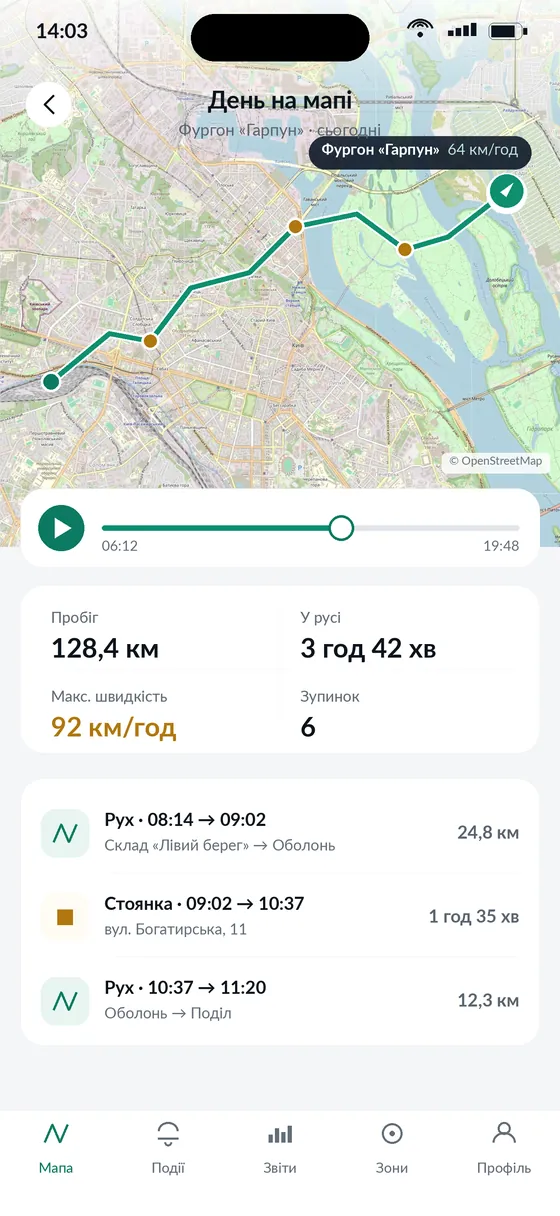
- BeforeThe client doubts the crew came AfterArrival time and duration on site
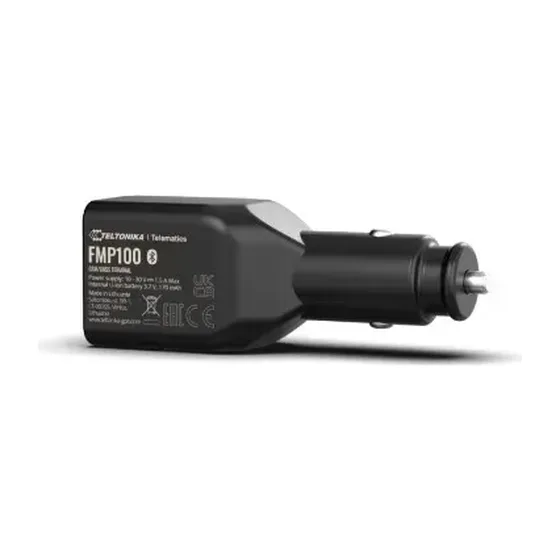
- BeforeCrew safety AfterPanic button on the FMP100
What you see in the app
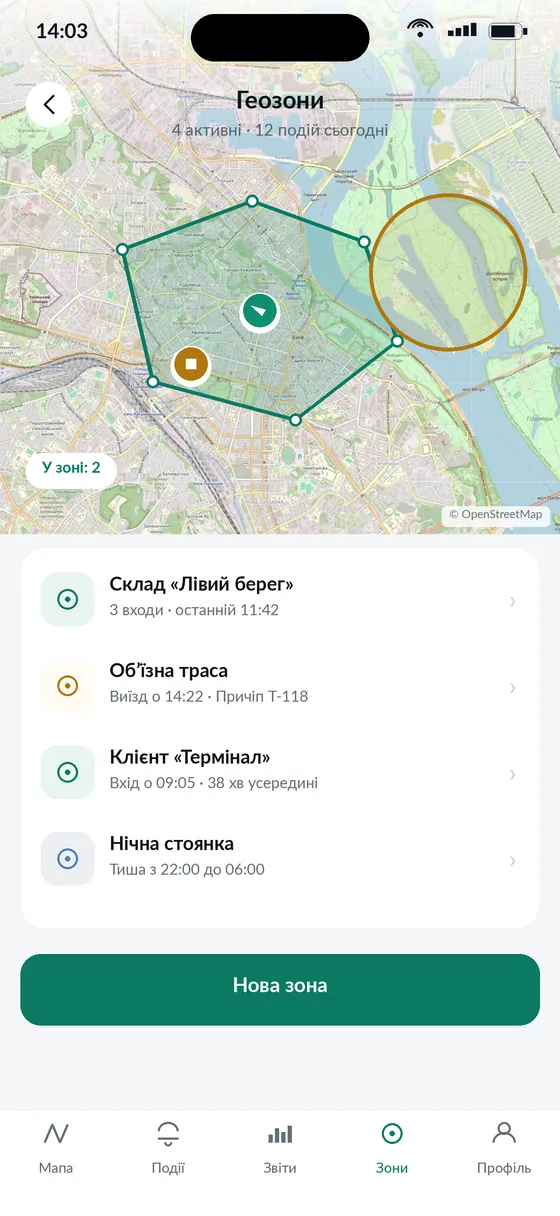
Screens from the Navi.zone app. You download it from the App Store or Google Play and subscribe right there.
- 1A crew’s dayEvery site with arrival time
- 2Client sitesZone entry and exit with times
Kit and price
Price per crew vehicle.
Kit · Field crewsTeltonika FMP100In stock
TrackerTeltonika FMP100Cigarette-lighter plug, panic button2,320 UAHon the site
InstallationNot neededPlug it into the lighter socket in a minute0 UAHon the site
SIM cardYours, any carrierA plan with mobile datayour ownnot from us
SubscriptionNavi.zone Base, 1 year7 days free, App Store or Google Play≈446 UAHin the app
For a person without a vehicle — Teltonika GH5200 personal tracker with an SOS button, 3,199 UAH.
How it works: 4 steps
From the order to the first route on your phone.
- 1OrderTracker and installation on the site, paid by VAT invoice.
- 2InstallationPlug the tracker into the lighter socket. No technician, takes a minute. The SIM card is yours, from any carrier.
- 3AppDownload Navi.zone from the App Store or Google Play, add the tracker and subscribe. 7 days free.
- 4ControlRoutes, reports and alerts on your phone right after connection. Questions — on Viber and Telegram.
Subscription
Plan: Navi.zone Base
A few crews only need the base plan.
- Up to 5 vehicles — ≈37 UAH/mo each
- Route and stops with times
- Client site geofences
For this solution
Navi.zone Base
≈37 UAH /mo
Billed yearly: ≈ 446 UAH ($9.90) per vehicle, for 1–5 vehicles
Alternative. From 6 vehicles or more than 3 geofences — Navi.zone Pro: 20 geofences, 10 users.
Payment and 7 free days — in the appApp StoreGoogle Play
Tracker and installation — in the cart on the site
Questions: Field crews
An engineer answers on Viber and Telegram: +380 67 828 16 13. Calls: +380 67 466 43 23.
Can the driver unplug the tracker?
Yes. If the tracker must always work, we install an FMB920 hidden — 2,600 UAH with installation.
How do I prove a visit to the client?
Every stop on the route has the address, arrival time and duration. You can forward the report to the client.
Do I need to tell employees?
Yes, in writing about GPS monitoring of company vehicles. We’ll give you an order template.